FClose()
FCount()
FCreate()
FErase()
FError()
FieldBlock()
FieldName()
FieldPos()
FieldPut()
| AFields | Fills referenced arrays with database field information |
| Alias | Returns the alias name of a work area |
| BOF | Test for the beggining-of-file condition |
| dbAppend | Appends a new record to a database file |
| dbClearFilter | Clears the current filter condiction in a work area |
| dbCloseAll | Close all open files in all work areas. |
| dbCloseArea | Close a database file in a work area |
| dbCommit | Updates all index and database buffers for a given workarea |
| dbCommitAll | Flushes the memory buffer and performs a hard-disk write |
| dbCreate | Creates an empty database from a array |
| dbDelete | Mark a record for deletion in a database |
| dbEval | Performs a code block operation on the current Database |
| DBF | Alias name of a work area |
| dbFilter | Return the filter expression in a work area |
| dbGoBottom | Moves the record pointer to the bottom of the database |
| dbGoto | Position the record pointer to a specific location |
| dbGoTop | Moves the record pointer to the top of the database |
| dbRecall | Recalls a record previousy marked for deletion |
| dbSeek | Searches for a value based on an active index |
| dbSelectArea | Change to another work area |
| dbSetDriver | Establishes the RDD name for the selected work area |
| dbSetFilter | Establishes a filter condition for a work area |
| dbSkip | Moves the record pointer in the selected work area |
| dbSkipper | Helper function to skip a database |
| dbStruct | Builds a multidimensional array of a database structure |
| dbUseArea | Opens a work area and uses a database file |
| Deleted | Tests the record’s deletion flag |
| EOF | Test for end-of-file condition |
| FCount | Counts the number of fields in an active database |
| FieldDeci | Determines the number of decimal places of a given numeric field |
| FieldGet | Obtains the value of a specified field |
| FieldName | Return the name of a field at a numeric field location |
| FieldPos | Return the ordinal position of a field |
| FieldPut | Set the value of a field variable |
| FieldSize | Determines the size of a given field |
| FieldType | Determines the type of a given field |
| Found | Determine the success of a previous search operation |
| Header | Return the length of a database file header |
| LastRec | Returns the number of records in an active work area or database |
| LUpdate | Yields the date the database was last updated |
| RecCount | Counts the number of records in a database |
| RecNo | Returns the current record number or identity |
| RecSize | Returns the size of a single record in an active database |
| Select | Returns the work area number for a specified alias |
| Used | Checks whether a database is in use in a work area |
Return the ordinal position of a field.
Syntax
FIELDPOS(<cFieldName>) --> nFieldPos
Arguments
<cFieldName> Name of a field.
Returns
<nFieldPos> is ordinal position of the field.
Description
This function return the ordinal position of the specified field <cField> in the current or aliased work areaIf there isn’t field under the name of <cField> or of no database is open in the selected work area, the func- tion will return a 0.
Examples
      PROCEDURE Main()
         USE test NEW
         ? test->( FIELDPOS( "ID" ) )
         USE
         RETURN
Compliance
Clipper
Files
Library is rdd
Seealso
FIELDGET(), FIELDPUT()
Obtains the value of a specified field
Syntax
FIELDGET(<nField>) --> ValueField
Arguments
<nField> Is the numeric field position
Returns
<ValueField> Any expression
Description
This function returns the value of the field at the <nField>th location in the selected or designed work area. If the value in <nField> does not correspond to n avaliable field position in this work area, the function will return a NIL data type.
Examples
      PROCEDURE Main()
         USE test NEW
         ? test->( FieldGet( 1 ) )
         USE
         RETURN
Compliance
Clipper
Files
Library is rdd
Seealso
FIELDPUT()
 FIELDPUT()
 Set the value of a field variable using the ordinal position of the field in
 the database structure
------------------------------------------------------------------------------
 Syntax

     FIELDPUT(<nField>, <expAssign>) --> ValueAssigned

 Arguments

     <nField> is the ordinal position of the field in the current
     database file.

     <expAssign> is the value to assign to the given field.  The data
     type of this expression must match the data type of the designated field
     variable.

 Returns

     FIELDPUT() returns the value assigned to the designated field.  If
     <nField> does not correspond to the position of any field in the current
     database file, FIELDPUT() returns NIL.

 Description

     FIELDPUT() is a database function that assigns <expAssign> to the field
     at ordinal position <nField> in the current work area.  This function
     allows you to set the value of a field using its position within the
     database file structure rather than its field name.  Within generic
     database service functions this allows, among other things, the setting
     of field values without use of the macro operator.

 Examples

     .  This example compares FIELDPUT() to functionally equivalent
        code that uses the macro operator to set the value of a field:

        // Using macro operator
        FName := FIELD(nField)           // Get field name
        FIELD->&FName := FVal            // Set field value
        // Using FIELDPUT()
        FIELDPUT(nField, FVal)           // Set field value

 Files   Library is CLIPPER.LIB.
See Also: FIELDGET()
->
 Alias assignment--binary                        (Special)
------------------------------------------------------------------------------
 Syntax

     <idAlias>-><idField>
     <idAlias>->(<exp>)
     (<nWorkArea>)-><idField>
     (<nWorkArea>)->(<exp>)
     FIELD-><idVar>
     MEMVAR-><idVar>

 Operands

     <idAlias> is the name of the unselected work area to access and must
     refer to a work area with a database file in USE.

     <nWorkArea> is the number of the unselected work area to access.

     <idField> is the name of a field in the specified work area.

     <exp> is an expression of any data type to be executed in the
     specified work area.  If an expression more complicated than a single
     field reference is used as the second operand, the expression must be
     enclosed in parentheses ( ).

     <idVar> is any valid CA-Clipper identifier.  Depending on whether
     you specify FIELD or MEMVAR, the identifier will be forced to a database
     field or memory variable (public or private) reference.

 Description

 When used with an <idAlias> as the first operand, the alias operator

     (->) accesses field information or evaluates an expression in the
     indicated work area.  The alias operator implicitly SELECTs the
     <idAlias> before evaluating the <idField> or <exp> operand.  When the
     evaluation is complete, the original work area is SELECTed again.  An
     alias reference can be in an expression or on a line by itself:

     ? Customer->Name
     Customer->(UpdateTransaction())

     Using the alias operator lets you:

     .  Access information from unselected work areas within
        expressions

     .  Access environmental information from unselected work areas

     .  Access information from unselected work areas in modes such as
        REPORT and LABEL FORMs

     .  Write more compact code

     In addition to allowing expression and field evaluation in unselected
     work areas, the alias operator makes an explicit reference to a field or
     variable using either the FIELD or the MEMVAR keyword aliases.  MEMVAR
     forces <idVar> to refer to a memory variable name, and FIELD forces it
     to reference a database field.  These special alias identifiers allow
     you to avoid ambiguity when there are conflicts between field and memory
     variable names.  Remember that a reference to a variable identifier not
     prefaced with an alias defaults to a field if there are both field and
     memory variables with the same name.  To override this, use the (/V)
     option when compiling.

     In addition to specifying the alias as an identifier, you can access the
     target work area using an expression that returns the work area number
     if the expression is enclosed by parentheses.  This lets you use work
     area numbers as handles, which is useful for passing references to work
     areas without using macros, aliases, names, etc.

 Examples

     .  This example accesses database and work area information in an
        unselected work area:

        USE Customer NEW
        USE Invoices NEW
        ? Customer->CustName                  // Result: Bill Smith
        ? Customer->(RECNO())                 // Result: 1
        ? Customer->(FOUND())                 // Result: .F.
        ? Customer->(City + ", " + State + ;
           "  " + Zip)                        // Result: ShadowVille,
                                              //         CA  90415

     .  This example uses a user-defined function (MySeek()) as an
        operand of the alias operator for a common operation that normally
        requires many more statements:

        IF Invoices->(MySeek(CustNum))
           <process customer>...
        ELSE
           <process no find>...
        ENDIF
        RETURN

        FUNCTION MySeek( cSearch )
           SEEK cSearch
        RETURN (FOUND())

        Note:  This example is just an illustration of the alias operator
        with a user-defined function.  CA-Clipper's DBSEEK() could be used
        instead of MySeek().

     .  This example explicitly references field and memory variables
        with the same name:

        USE Customer NEW
        MEMVAR->CustName = "Bill Smith"      // Create a memvar
                                             // CustName
        LOCATE FOR MEMVAR->CustName = FIELD->CustName

     .  This example uses an expression as a work area handle to
        create a work area-independent database operation:

        cTable1 := "C:Myfile.dbf"
        cTable2 := "D:Myfile.dbf"
        USE (cTable1) NEW
        hArea1 = SELECT()
        USE (cTable2) NEW
        hArea2 = SELECT()
        DoStuff( hArea1, hArea2 )

        FUNCTION DoStuff( hArea1, hArea2 )
           LOCAL nCount, nSave
           nSave := SELECT()
           SELECT (hArea1)
           FOR nCount := 1 TO FCOUNT()
              FIELDPUT( nCount, ( hArea2 )-> ;
                 ( FIELDGET( nCount )))
           NEXT
           SELECT (nSave)
           RETURN NIL
See Also: FIELD FIELDNAME() FIELDPOS() FIELDGET() SELECT
A nice UDC example; a simple way to copying records from one database into another.
Easy record copying (.pdf )
Fill arrays with the structure of the current database file
AFIELDS([<aFieldNames>],
    [<aTypes>],
    [<aWidths>],
    [<aDecimals>]) --> nFields
Return a specified work area alias
ALIAS([<nWorkArea>]) --> cAlias
Determine when beginning of file is encountered
BOF() --> lBoundary
Add a new record
DBAPPEND() --> NIL
Clear a filter condition
DBCLEARIND() : Close all indexes for the current work area
DBCLEARINDEX() --> NIL
DBCLEARREL() :
Clear active relations
DBCLEARRELATION() --> NIL
Close all occupied workareas
DBCLOSEALL() --> NIL
Close a workarea
DBCLOSEAREA() --> NIL
Flush pending updates
DBCOMMIT() --> NIL
Flush pending updates in all workareas
DBCOMMITALL() --> NIL
Create a database file from a database structure array
DBCREATE(<cDatabase>, <aStruct> [, <cDriver> ] ) --> NIL
Create an Index
   DBCREATEINDEX(<cIndexName>, <cKeyExpr>,
        [<bKeyExpr>], [<lUnique>]) --> NIL
Mark a record for deletion
DBDELETE() --> NIL
Browse records in a table layout
    DBEDIT([<nTop>], [<nLeft>],
        [<nBottom>], <nRight>],
        [<acColumns>],
        [<cUserFunction>],
        [<acColumnSayPictures> | <cColumnSayPicture>],
        [<acColumnHeaders> | <cColumnHeader>],
        [<acHeadingSeparators> | <cHeadingSeparator>],
        [<acColumnSeparators> | <cColumnSeparator>],
        [<acFootingSeparators> | <cFootingSeparator>],
        [<acColumnFootings> | <cColumnFooting>]) --> NIL
Evaluate a code block for each record
DBEVAL(<bBlock>,
    [<bForCondition>],
    [<bWhileCondition>],
    [<nNextRecords>],
    [<nRecord>],
    [<lRest>]) --> NIL
Return current alias name
DBF() --> cAlias
Return and optionally change information about a field
        <nFieldPos>,
        [<expNewSetting>]) --> uCurrentSetting
Insert the contents of a field into a file
     DBFILEGET(<nFieldPos>, <cTargetFile>, <nMode>)
        --> lSuccess
Insert the contents of a file into a field
     DBFILEPUT(<nFieldPos>, <cSourceFile>)
        --> lSuccess
DBFILTER() :
Return the current filter expression as a character string
DBFILTER() --> cFilter
Move to the last logical record
DBGOBOTTOM() --> NIL
Move to a particular record
DBGOTO(<nRecordNumber>) --> NIL
Move to the first logical record
DBGOTOP() --> NIL
Return and optionally change database file information
    DBINFO(<nInfoType>, [<expNewSetting>])
        --> uCurrentSetting
DBORDERINFO() : Return and optionally change information about orders and index files
    DBORDERINFO(<nInfoType>,   [<cIndexFile>],
        [<cOrder> | <nPosition>],
        [<expNewSetting>]) --> uCurrentSetting
DBRECALL() :
Reinstate a record marked for deletion
DBRECALL() --> NIL
Return and optionally change information about a record
    DBRECORDINFO(<nInfoType>,
        [<nRecord>],
        [<expNewSetting>]) --> uCurrentSetting
Recreate all active indexes for the current work area
DBREINDEX() --> NIL
Return the linking expression of a specified relation
DBRELATION( <nRelation> ) --> cLinkExp
Lock the record at the current or specified identity
DBRLOCK([<xIdentity>]) --> lSuccess
DBRLOCKLIST() Return an array of the current lock list
DBRLOCKLIST() --> aRecordLocks
Return the target workarea number of a relation
DBRSELECT( <nRelation> ) --> nWorkArea
Release all or specified record locks
DBRUNLOCK([<xIdentity>]) --> NIL
Search for a key value
DBSEEK(<expKey>, [<lSoftSeek>]) --> lFound
Change the current workarea
DBSELECTAREA(<nArea> | <cAlias>) --> NIL
Set the default database driver
DBSETDRIVER([<cDriver>]) --> cCurrentDriver
Set a filter condition
DBSETFILTER(<bCondition>, [<cCondition>]) --> NIL
Empty orders from an order bag into the order list
DBSETINDEX(<cOrderBagName>) --> NIL
Set the controlling order
DBSETORDER(<nOrderNum>) --> NIL
Relate two workareas
DBSETRELATION( <nArea> | <cAlias>, <bExpr>, [<cExpr>]) --> NIL
Move relative to the current record
DBSKIP([<nRecords>]) --> NIL
Create an array containing the structure of a database file
DBSTRUCT() --> aStruct
Release all locks for the current work area
DBUNLOCK() --> NIL
Release all locks for all work areas
DBUNLOCKALL() --> NIL
Use a database file in a workarea
DBUSEAREA( [<lNewArea>],
    [<cDriver>],
    <cName>,
    [<xcAlias>],
    [<lShared>],
    [<lReadonly>]) --> NIL
Return the deleted status of the current record
DELETED() --> lDeleted
Determine when end of file is encountered
EOF() --> lBoundary
Return the number of fields in the current (.dbf) file
FCOUNT() --> nFields
Return a field name from the current (.dbf) file
FIELD/FIELD(<nPosition>) --> cFieldName
FIELDBLOCK() :
Return a set-get code block for a field variable
FIELDBLOCK(<cFieldName>) --> bFieldBlock
Retrieve the value of a field using the ordinal position of the field in the database structure
FIELDGET(<nField>) --> ValueField
Return a field name from the current (.dbf) file
FIELDNAME/FIELD(<nPosition>) --> cFieldName
Return the position of a field in a workarea
FIELDPOS(<cFieldName>) --> nFieldPos
Set the value of a field variable using the ordinal position of the field in the database structure
FIELDPUT(<nField>, <expAssign>) --> ValueAssigned
Return a set-get block for a field in a given workarea
FIELDWBLOCK(<cFieldName>, <nWorkArea>) --> bFieldWBlock
Lock an open and shared database file
Determine if the previous search operation succeeded
FOUND() --> lSuccess
Return the current database file header length
HEADER() --> nBytes
Determine the number of records in the current (.dbf) file
LASTREC() | RECCOUNT()* --> nRecords
Return the last modification date of a (.dbf) file
LUPDATE() --> dModification
Determine the number of records in the current (.dbf) file
RECCOUNT()* | LASTREC() --> nRecords
Return the current record number of a work area
RECNO() --> nRecord
Determine the record length of a database (.dbf) file
RECSIZE() --> nBytes
Lock the current record in the active work area
RLOCK() --> lSuccess
Determine the work area number of a specified alias
SELECT([<cAlias>]) --> nWorkArea
Determine if a database file is in USE
USED() --> lDbfOpen
Hexadecimal file viewer.
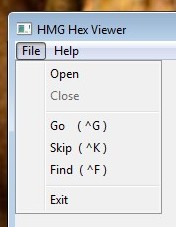
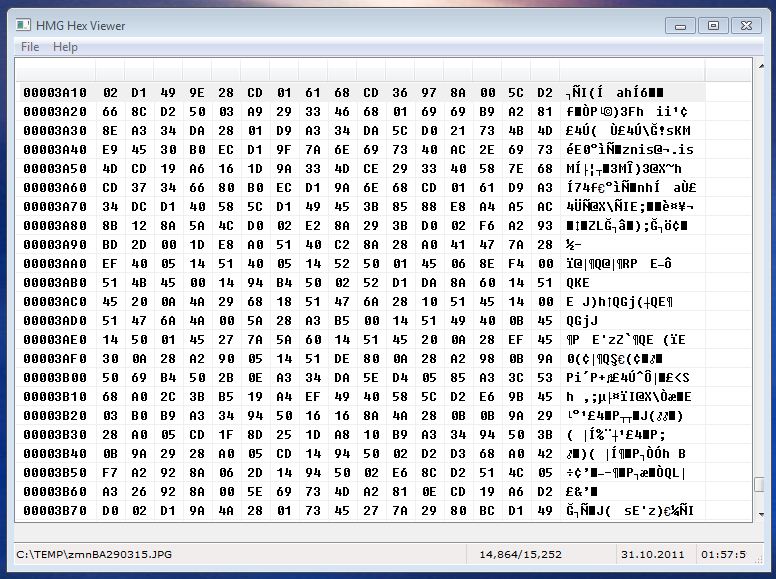
This is a experimental project with first intend of point out the power of Harbour and HMG. So, HexView is considerably slow on large files, please be patient.
Download here ( source only ).
